You will find dozens of tips and strategies to
use while browsing
the Internet using Internet Explorer below. Rather than trying to remember each
and every bit of information in the workshop, I suggest you find a reasonable
number
of tips and shortcuts that you believe will be helpful to you. Everybody's browsing
experience is different and is based on their needs for using the Internet.
Some Basics
Using Right Click Shortcut Menus
Moving Forward and Backward
Saving the Background of the page for later use
Set as Wallpaper
Creating Shortcuts to pages
Add the Page to your Favorites List
Quickly Turn Toolbars On or Off
Saving Images for later use
Right Clicking on Hyperlinks
Open in New Window
Print Target
Add to Favorites
Copy Shortcut
Working with Toolbars
Quickly Turn Toolbars On and Off
Customize the Toolbars
Moving Forward and Backward (One page or more)
Home Button
Refresh Button
Selecting and Printing
Printing Full Pages
Printing Selected Text
Printing Individual Pages using Print Preview
Printing a Picture
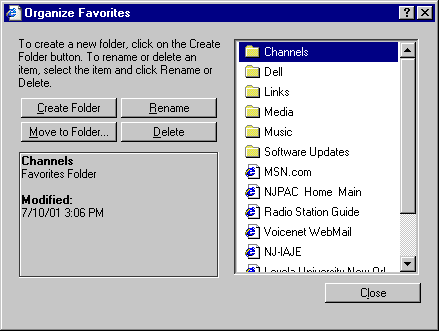
Organizing Favorites
Toggling the Favorites List
Favorites Button - Organize
Adding a Website to your Favorites List
Deleting and Renaming Pages in your Favorites List
Using the History
Toggling the History Window
Clearing the History from Cache Memory
Deleting Individual Pages from the History
Searching the History
Save Pictures and Backgrounds
Right Click to Save Image
Use the Image Toolbar that appears to Save, Print, or Send a Picture
Right Click Background to save the Image
Typing URLs
Automatically add http://www.com to
the Web Address
Moving through the Address fast
AutoComplete
Pasting URLs from other sources
Managing the Links Toolbar
Adding Links to Web Pages
Deleting and Renaming Links
Hiding the Toolbar
Shortcut Keys | Internet
Explorer | Browser Tips | Advanced
Options